



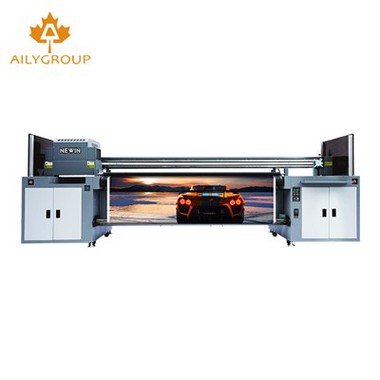
Aily Group is a one-stop printing solution and application manufacturer. We have had a factory for 15 years producing UV printers, DTF printers, UV DTF, eco-solvent printers, sublimation printers, laminators, ink, etc. Our main products include Uv Roll To Roll, Uv Roll To Roll Printing Machine, Uv Printer Roll To Roll, Roll To Roll Uv Printing Machine, Hybrid Uv Printing Machine, Hybrid Flatbed Printers, UV 2513 With I3200 Glass Printer, etc.
Advantages of DTG Printer Production
Competitive Offer
All the product prices are updated monthly according to market changes in order to ensure our customers get the most cost-effective machines.
Timely Service
Covers the time zones from the US, the EU, all the way to Asia. Professional engineers are here to help.
Complete Certifications System
NEWIN Inkjet provides full certification to make sure there are no problems for customers to import.
Quality Assurance
Strict quality checks before shipping, making sure that the full functionality of the equipment.
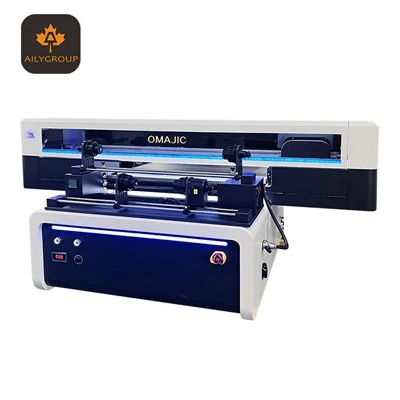
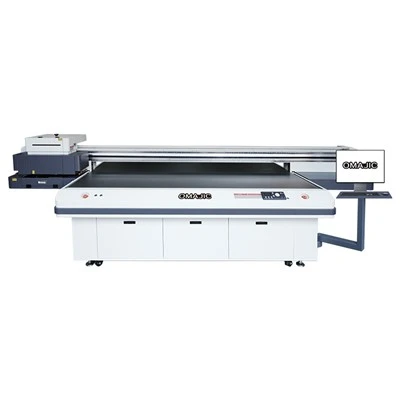
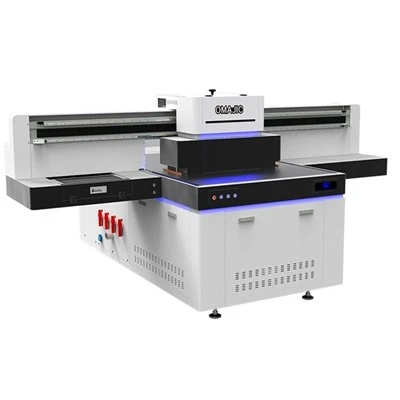
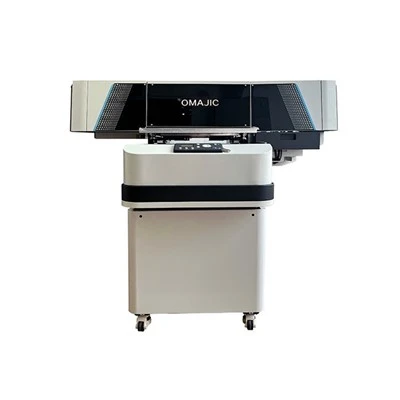
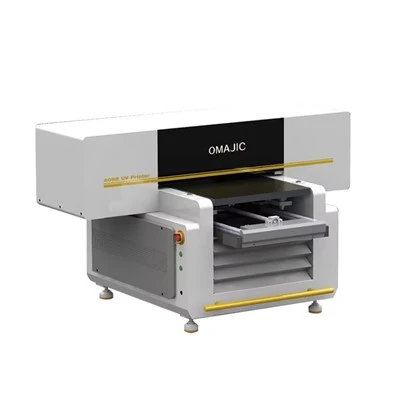
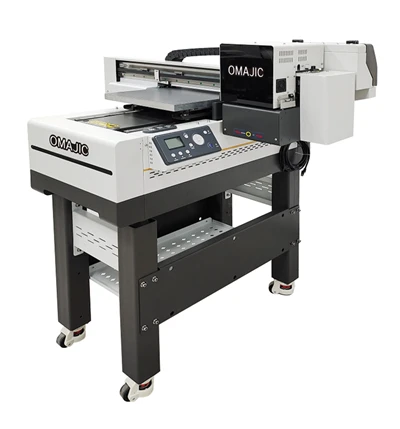
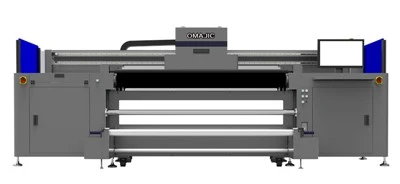


UV printer is a very advanced digital printing equipment. It adopts the latest UV hardening technology, which can directly print images on a variety of materials, such as metal, plastic, stone, ceramics and so on. UV printers have many characteristics that can be called advantages, such as high precision, fast speed, low cost, and wide application range. It is also one of the trends of digital printing in the future.
The UV printer is a high-end printing machine that uses UV-curable inks to create high-quality prints on various substrates. Unlike traditional inkjet or laser printers, the UV printer applies ink in a single pass, giving it a faster printing speed. The UV inks used are formulated to dry instantly upon exposure to UV light, which allows for a wide range of print applications, including printing on non-porous and rough surfaces.
Superior Print Quality
UV inks used in UV printers produce prints with remarkable color vibrancy and resolution, making them ideal for graphic designs, product packaging, and other commercial printing applications that demand high-end print quality.
Fast Printing Speed
The UV printing process involves a single pass application of ink, resulting in faster printing speeds compared to traditional inkjet or laser printers. This efficiency makes the UV printer well-suited for high-volume printing tasks.
Broad Application Scope
The UV printer's ability to print on a range of substrates, including non-porous and rough surfaces, sets it apart. It can handle a variety of materials, such as paper, plastic, metal, glass, and more.
Durability
The UV inks used in this printing process are formulated to be highly durable and scratch-resistant. This makes prints suitable for outdoor use and other demanding environments where traditional inks might fade or degrade.
Environmentally Friendly
UV inks are typically low or non-toxic, and the UV curing process does not emit harmful volatile organic compounds (VOCs). This makes the UV printer an eco-friendly option for printing.
Easy Operation
The UV printer offers user-friendly operation, making it easy to set up and use. It can also be integrated into automated and intelligent production lines for efficient printing operations.
Versatility
The UV printer is suitable for a wide range of applications, including personalized printing, short-run printing, graphic arts, advertising, fine art reproduction, and more. It offers flexibility in meeting diverse printing needs.
The Most Common Ink for UV Printer

Hard Ink
Hard ink refers to the flexibility of the ink and true to its name, hard ink is not flexible. However, hard ink works well for both indoor and outdoor pieces due to its high resistance to abrasion.

Edible Ink
Edible ink can be used to print custom designs on pieces that will be used for human consumption such as custom cakes. Edible inks are considered food grade and are safe for ingestion at any age.

Flexible Ink
Flexible inks are used on materials that will need to retain their flexibility after printing such as soft packaging material and fabric promotional items. Flexible inks can be washed without damage if the proper instructions are followed.

Specialty Ink
There is a wide variety of specialty inks that can be used when printing on material that may have a different surface texture. You can find specialized inks to print on substrates such as glass, metal, and plastic. These inks are specifically designed for products to ensure they last with regular use and adhere well to the surface.
Working Principle of UV Printer
UV printer for working by Bernoulli Effect, The siphon pressure is an important methods for UV printing.
UV Printer Inks in the tube fast flow can make the ink tube’s pressure Become small. The gas in the UV printer is pressured, it gave a low pressure environment on other end of level straw, this can making the liquid in the bottle atomization, Two opening tubes vertical fixed together, one is insert in to liquid bottle, The liquid at tow tube intersection become vapourous by air impact. The image paint by a spray.
Tiny drops of ink according to picture needs to be combined by printer, it can make the colors ordered in printhead and sprayed to suitable position.
The printhead determines the quality of the UV printing. The small spray nozzle can gave a higher the precision, but the printing speed might be affected. If the spray nozzle is too small, the ink can not pass through the nozzle to clogging the spray. So it is important to select the appropriate nozzle.
What Materials Can UV Printer on?
One of the appeals of UV printing is that it can be used to print on a wide range of materials and products. In fact, this printing method can be used to print on almost any material – excluding waterproofed and oil-surfaced materials.
Here are just some of the materials that can be used in UV printing:
Wood
UV printers can be used to print directly onto wood and wooden products, from photo frames and drumsticks, through to doors and tables.
Glass
UV printers can print onto glass surfaces, ranging from bottles to window panes. Primer layers are often used when UV printing onto glass.
Canvas
UV printers can print designs onto canvas, creating quirky tote bags and clothing, and cherished memories.
Ceramic
This printing technique is often used to print on ceramics, including tiles and ornaments. A primer is often used when UV printing on ceramics.
Leather
One of the benefits of UV printing is that UV inks are flexible, meaning they can print on leather as well as leather alternatives. This means UV printing can be used on leather bags, shoes, clothing, and interiors.
Metal
UV printing techniques can be used to print onto metal, including everything from pet tags and accessories, to water bottles and drinks packaging.
Types of UV Printer
UV Roll to Roll Printer
A printer designed to print on continuous rolls of material, such as plastic films or paper. It allows for efficient, high-speed printing of long lengths of material.
UV Flatbed Printer
A printer that prints on flat substrates, such as glass, metal, wood, and other non-porous surfaces. It typically includes a flat printing bed where the substrate is placed and then printed upon.
UV Cylinder Printer
A printer that prints on cylindrical objects, such as bottles, cans, or other containers. It typically includes a rotating printing cylinder that applies the ink to the curved surface.
UV Double Side Printer
A printer that can print on both sides of a substrate simultaneously or consecutively. This feature allows for efficient printing of double-sided materials, reducing the need for manual handling or additional equipment.
How to Choose the Right UV Printer


Choosing a UV printer that is solid, reliable, and versatile, in short a printer that can do it all for your business, you need to ask yourself these three basic questions:
What is the right the right printing platform?
What are the key factors to consider after choosing the right platform?
What are the other factors influencing the final buying decision?
Choosing the Right Platform
Now that you know the capabilities of a wide format printer and the range of application it can offer, now is the time to match the application range to a printer platform. Below are the wide format printing platform available
Flatbed Printers: Flatbed printers are capable of printing on a wide variety of materials such as photographic paper, film, plastic, PVC, acrylic, glass, ceramic, metal, wood, leather, etc. cure, or polymerize them.
Roll-To-Roll Printer: A roll of flexible material is fed into the machine and an uptake reel rewind the graphics. They are ideal for signage applications such posters, banners, backlit and also capable of producing a variety of decorative applications such as wall coverings, blinds, canvas etc.
Hybrid Printer: These printer are capable of printing on both rigid and flexible materials. Hybrid printer offer the ultimate versatility and flexibility, these printers are ideal for those who want to offer their customer a wide variety of applications.
Ask yourself:
Do we need to print on rigid or flexible media or a mix of both to meet the customer need?
How much flexible versus rigid work will we do?
Does the printer handle the material we need it to print?
What are the pre and post printing steps require that may add cost and time.
What ink formulation does the printer uses?
Key Factors after Choosing the Right Platform
Once you have decided the right printing platform for your business, the next step is to look at some of the key factors which will decide how effective the printer will be for your business.
Versatility: You should always invest in a printer that gives you maximum versatility, so that you can always ready for entering new markets and tapping new revenue opportunities.
Productivity: It is always important to consider the print volume you want your printer to produce. There are printers which are designed for high-quality printing but are not suitable for large volume printing and some are built as production printers that do not compromise quality over speed.
Sustainability: It is highly advised that you should invest in a printer that meets the health and environmental guidelines. Government now a days implementing certain regulations and mandating industries to adopt environmental friendly printing techniques.
Other Factors Influencing the Final Buying Decision
There are few other things to consider before you make the final buying decision. It is important to choose a wide format printer service/solution provider that can provide the right mix of print capability, productivity, service, support and value.
Always consider these:
Space/Storage.
Service and support.
Training.
Consumables.
Power consumption.
Applications of UV Printer
Packaging and Labeling
Graphic Arts and Poster Printing
Substrate Decorating
Textile Printing
Industrial Printing
Fine Art Reproduction
Direct-to-Object Printing
Calibrate Your UV Printer Regularly
If you’re using a UV printer, it’s important to calibrate it regularly. It makes sure that your prints are accurate and consistent. There exist a few different ways to calibrate a UV printer while the process will vary depending on the printer model.
The best way to calibrate a UV printer is to use a test chart. It can be purchased or created by printing a series of evenly spaced lines and squares on paper sheets. To calibrate the printer, you’ll need to measure the spacing and compare it to the correct values. You can then adjust the printer’s settings until the measurements match.
Another method to calibrate a UV printer is to use a calibration card. This is a piece of plastic or paper that has been pre-printed with a series of test patterns. To calibrate the printer, you will need to measure the spacing and compare it to the correct values. You can then adjust the printer’s settings until the measurements match.
Whichever method you use, it’s important to calibrate your UV printer regularly. This ensures accurate and consistent prints.
Use the Appropriate Media for Your UV Printer
UV printers need special paper in order to work correctly. The paper is coated in a chemical that reacts when hit with UV light. This is what causes the image to be printed. There are a few different types of UV paper, so it is important to use the correct type for your printer.
Optimize Your UV Printer Settings
UV printers are becoming increasingly popular due to the high-quality prints they produce. However, getting the best results from a UV printer requires some optimization of the printer settings. Optimization of a UV printer makes the prints crystal clear and better in look.
Print a Test Image to Check Your Results
Before initiating a large signage printing project, conduct test prints to fine-tune the settings and ensure optimal print quality. Experiment with different color profiles, substrates, and ink settings to find the perfect combination for your specific requirements.
Implement a rigorous quality control process to identify any potential issues early on and make necessary adjustments. Regularly inspect the printed output for color accuracy, sharpness, and overall print quality.
Select the Right Substrate
The choice of substrate plays a crucial role in producing excellent signage prints. Ensure that the substrate is compatible with UV printing and can withstand the curing process without warping or distorting. Opt for substrates specifically designed for UV ink adhesion, such as acrylic, glass, metal, or PVC foam board. Testing different substrates will help you identify the ones that provide the best results in terms of color vibrancy, adhesion, and durability.
Regularly Inspect
Proper maintenance is key to the longevity and optimal performance of your UV printer. Keep the print heads clean and unclogged by following the manufacturer’s recommended cleaning procedures. Maintain the UV lamp intensity to ensure consistent curing. Check and replace UV filters regularly to maintain print quality. Additionally, regularly inspect and clean the printer’s transport system and replace worn parts when necessary. A well-maintained UV printer will deliver high-quality signage prints consistently.
Use High-Quality UV Inks
Investing in high-quality UV inks is essential for achieving superior print results. Inferior inks can lead to color fading, poor adhesion, or reduced durability. Choose UV inks specifically formulated for signage printing and ensure they are compatible with your printer. Look for inks that offer a wide color gamut, excellent lightfastness, and long-term durability. Using reputable ink brands will help you achieve consistent and vibrant prints that withstand the test of time.
Optimize Workflow
Efficient workflow management can save time, reduce errors, and optimize the overall printing process. Utilize professional software for design, pre-press, and RIP processes to streamline your workflow. Ensure proper file preparation, including appropriate color profiles and resolution settings.
Automate repetitive tasks to minimize human errors and improve productivity. A well-organized workflow will help you optimize time and resources, ultimately leading to high-quality signage prints.
Optimize File Preparation
Proper file preparation is essential for achieving high-quality signage prints. Start by working with high-resolution images and vector files to ensure sharpness and clarity. Convert your files to the appropriate color space, such as CMYK, to match your printer’s capabilities.
Pay attention to color profiles and use standardized settings to avoid color inconsistencies. Furthermore, ensure that your files are properly formatted, with sufficient bleed and trim areas, to prevent any issues during the printing process.
Maintain Proper Print Head Care
The print heads are critical components of a UV printer, and their maintenance is crucial for consistent and high-quality printing. Follow the manufacturer’s guidelines for cleaning and maintenance. Regularly inspect the print heads for any clogs or damage, and clean them using recommended solutions. Avoid using abrasive materials or aggressive cleaning agents that may harm the print heads.
Additionally, ensure that the printer is properly maintained in terms of ink levels, temperature, and humidity, as these factors can affect the print heads’ performance.
Our Factory
From 2008 till now, we have established 2 printer factories and one ink factory, 5 landing warehouse.


Our Certificate


UV Printer: The Ultimate FAQ Guide
Q: What is the difference between a UV printer and a regular inkjet printer?
Q: What materials can a UV printer print on?
Q: What is the printing process of a UV printer?
Q: What are the advantages of using a UV printer?
Q: What are the disadvantages of using a UV printer?
Q: How does a UV printer affect the durability of printed materials?
Q: How does a UV printer affect the cost of printing?
Q: What is the resolution of a UV printer?
Q: What is the printing speed of a UV printer?
Q: How does a UV printer handle large printing jobs?
Q: How does a UV printer handle small printing jobs?
Q: How does a UV printer impact the environment?
We're well-known as one of the leading uv printer manufacturers and suppliers in China for our cheap products and good service. Please feel free to buy discount uv printer made in China here from our factory. For price consultation, contact us.