


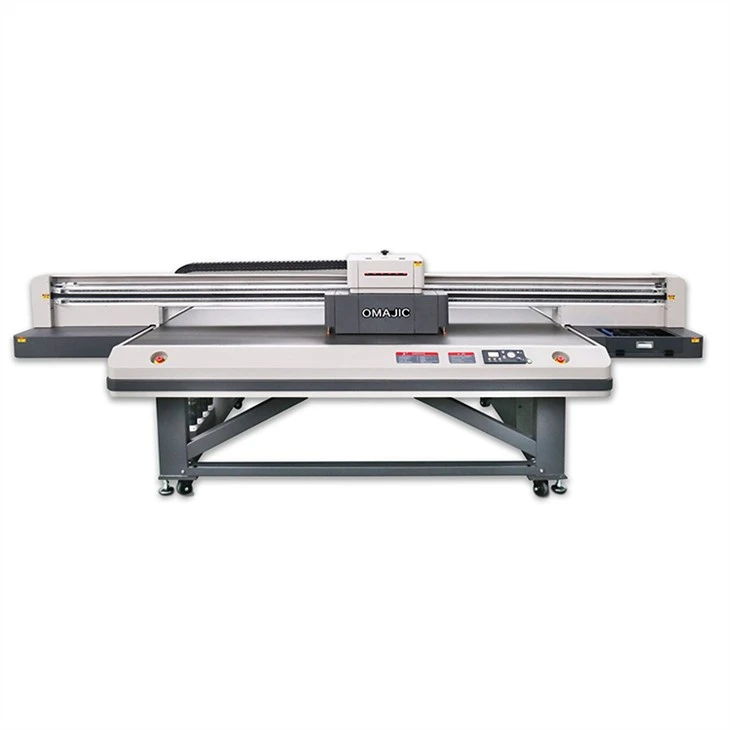

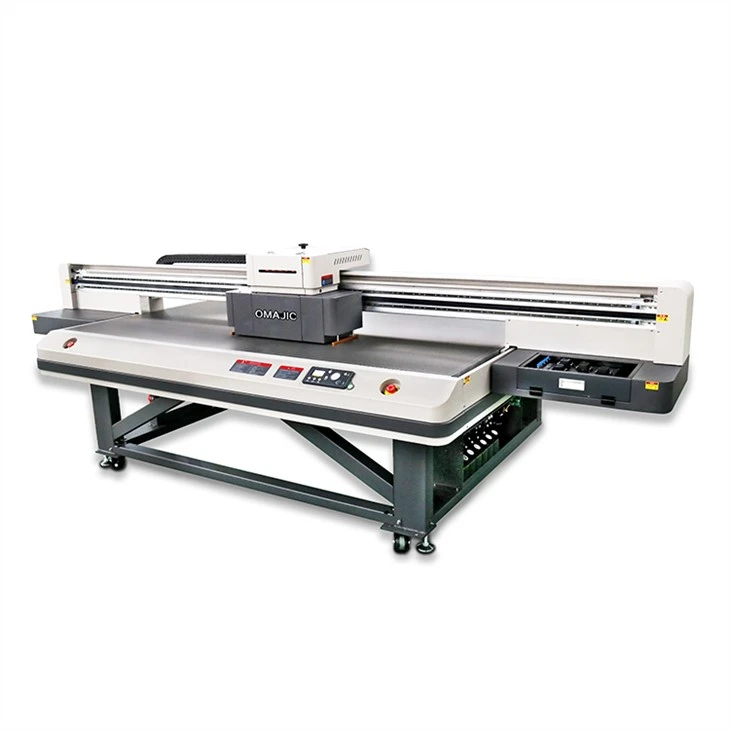
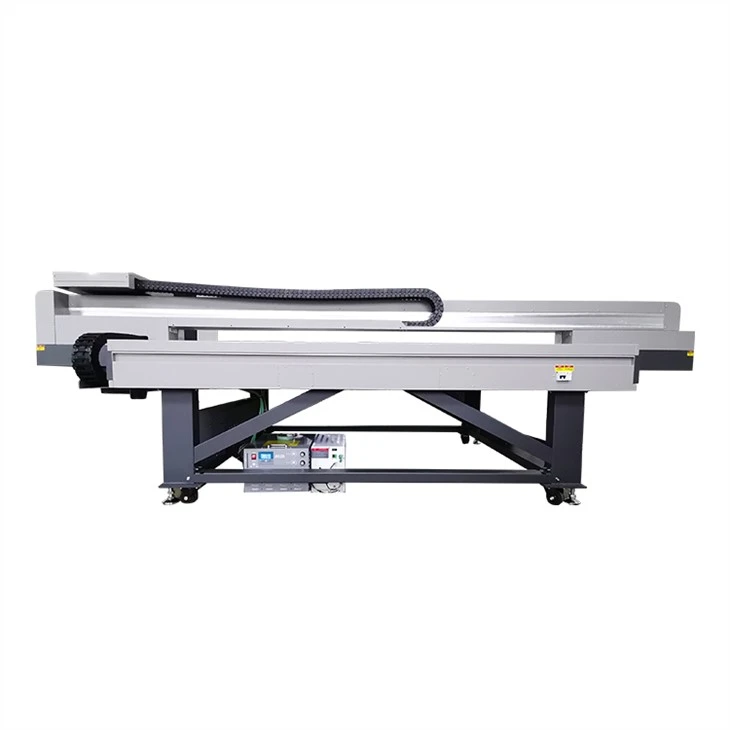
UV Flatbed Printer Eric 2513
Description
Technical Parameters

Products Description of UV Flatbed Printer Eric 2513
UV Flatbed Printer Eric 2513 is a general-purpose large-format size, suitable for mass production and large-scale printing needs. Equipped with 5~10 nozzles, it is specially designed for industrial production, with fast printing speed and can print directly on almost any material. Ultraviolet radiation is used in the printing process, and the image on the surface of the object is dried quickly, scratch-resistant, and UV-resistant.
This uv led printer can print on any flat material and objects with the printer head, such as pen, acrylic, wood, metal, crystal, plastic, phone case, etc. With the printer head, the printing speed is very fast, the detail quality is perfect, even the size printing of human face.

Products parameters
Model No. | Eric 2513 |
Printer head | 3/4pc I3200-U1 |
Machine Type | Automatic, Flatbed, UV LED Lamp, Digital Printer |
Max Print Size | 2500*1300mm |
Max Print Height | 10cm |
Materials to Print | Metal, Plastic, Glass, Wood, Ceramics, Acrylic, Leather, etc, |
Printing Direction | Unidirectional Printing or Bi-directional Printing Mode |
Nozzle Number | 3200 |
Ink Colors | CMYK+W+C |
Ink Type | UV Ink |
Ink System | 1500ml Ink Bottle |
File Format | PDF,JPG,TIFF,EPS,AI,etc |
Max Media Weight | 75 KG/M² |
Operating System | WINDOWS 7/WINDOWS 8/WINDOWS 10 |
Interface | 3.0 LAN |
Advantages of the UV Flatbed Printer Eric 2513
 |  | |
Alarm On Ink Tank alarming when ink lacked , very intelligentize | Dural Suction Motors Sucks any materials stable and easier. |
 |  |  | ||
Print Head Anti-collision System Print any materials witout static, save materials cost . | HiWin High Speed Mute Slider stable brand Guide railway , working without noisy and smooth . | Y Axis Ball Screw Movement Work more stable and extend printer life time. |
Here are some advantages of UV Flatbed Printer Eric 2513:
Equipped with print head
High-density nozzles, up to 636, with a dot frequency of 28KHZ, help to achieve high printing speed. Inkjet can reach 300 billion times without clogging and edge warping, and has a long service life. 8-level grayscale, 5PL ink droplet size, high resolution.
Certified Ink
The ink has obtained supplier certification and passed SGS certification. There are no parts that could damage the print head, which will prolong the life of the print head. Moreover, the ink density is high and the color gamut is wide.
High-precision nozzle base plate
The bottom plate of the nozzle is manufactured by a professional manufacturer with high processing precision. The error is less than 0.01mm, which improves the printing accuracy.
stable accessories
All accessories of the ink system are certified, work stably, and do not have any chemical reaction with the ink.
Professional RIP software
The user interface is concise, easy to understand and operate. Efficient workflow, excellent image processing, rich color management tools, professional color processing.
Print head anti-collision system
The print head is installed with an anti-collision system to prevent accidental damage due to human error or material deformation.

Maintenance of UV flatbed printer
1. Make sure the environment around the UV flatbed printer is clean. Too much dust in the working environment will easily lead to poor lubrication of the guide shaft of the trolley, which will hinder the movement of the print head during the printing process, causing inaccurate printing positions or hitting the mechanical frame to cause damage and crash. When the print head is not returned to the initial position and restarted, the printer will first return the print head to the initial position, and then clean the print head, which will cause unnecessary waste of ink. The way to solve this problem is to wipe off the dust on the guide shaft frequently, and lubricate the guide shaft (select lubricating oil with better fluidity, such as sewing machine oil).
2. It is necessary to ensure that the UV flatbed printer has a stable working platform, and do not place anything on the top of the UV flatbed printer. The front cover of the printer must be closed when printing to prevent dust from entering the machine or other hard objects hindering the movement of the printer cart. It is forbidden to plug and unplug the printer cable while the power is on. This will damage the printer's print port and the parallel port of the PC, and even damage the main board of the PC in severe cases. If the printout is not clear, you can use the automatic cleaning function of the printer to clean the nozzle, but it will consume a small amount of ink. If the printing is still unsatisfactory after several consecutive cleanings, the ink may be used up and the ink cartridge needs to be replaced.
3. Before shutting down, let the print head return to the initial position (when the printer is in a pause state, the print head automatically returns to the initial position). In this way, the first is to avoid wasting ink by cleaning the nozzle again when the printer is turned on next time, and the second is because the nozzle can be sealed by the protective cover at the initial position, so that the nozzle is not easy to be blocked.
4. The ink cartridge needs to be calibrated frequently: users who have experience in using the printer know that the printer must be calibrated after the ink cartridge is reinstalled or replaced with a new one to improve printing accuracy and quality.
5. When the ink cartridge is not used up, it is best not to take it off, so as not to cause ink waste or printer's ink metering error.
6. When the ink cartridge is not in use for a long time, it should be placed at room temperature to avoid direct sunlight. Because the ink evaporates quickly in this environment, it is easy to cause nozzle clogging. In addition, in a low temperature and humid environment, the print head circuit and ink are prone to problems.
7. When changing the ink cartridge, you must follow the steps in the operation manual, and pay special attention to the above operations when the power is turned on. Because after replacing the ink cartridge, the printer will refill the ink delivery system, and this process will not be possible when the power is off, and the printer will not be able to detect the reinstalled ink cartridge. In addition, some printers use electronic counters inside the printer to measure ink capacity (especially in the statistics of color ink usage). When the counter reaches a certain value, the printer judges that the ink is exhausted. During the ink cartridge replacement process, the printer will reset its internal electronic counter to confirm that a new ink cartridge has been installed.
8. In addition, the grating strip of the uv flatbed printer should also be well protected, do not touch it with your hands, and do not let it be contaminated with dust to prevent inaccurate positioning
Hot Tags: uv flatbed printer eric 2513, China uv flatbed printer eric 2513 manufacturers, suppliers, factory, 1 8m UV Roll To Roll Printer, Flat panel UV printer for industrial use, Uv curing lamp wood printer, UV Hybird Printer, UV Printer Metal, XP600 UV Flatbed Printer
Previous
UV UV2513 universal printerSend Inquiry


